How to Set Up Your Gaming Room on a Budget in Pakistan
Every gamer has the same fantasy: a dedicated battlestation with glowing lights, a racing chair, and a desk that looks like it belongs on a streamer's YouTube channel. Then you check prices, and the fantasy evaporates. Here is the good news — the look and feel of a dream setup is mostly about cheap, deliberate choices, not expensive gear. The comfort, the lighting, the tidiness: all of it can be done on a student or entry-level-job budget, right here in Pakistan.
This guide is written specifically for local conditions: small rooms, load-shedding, hot summers, and the actual markets where Pakistani gamers shop. We will cover the furniture that matters most, the lighting trick that makes any setup look premium, how to protect your gear from the power grid, cooling your space, your internet setup, and a realistic budget breakdown — plus where to buy everything without getting ripped off.
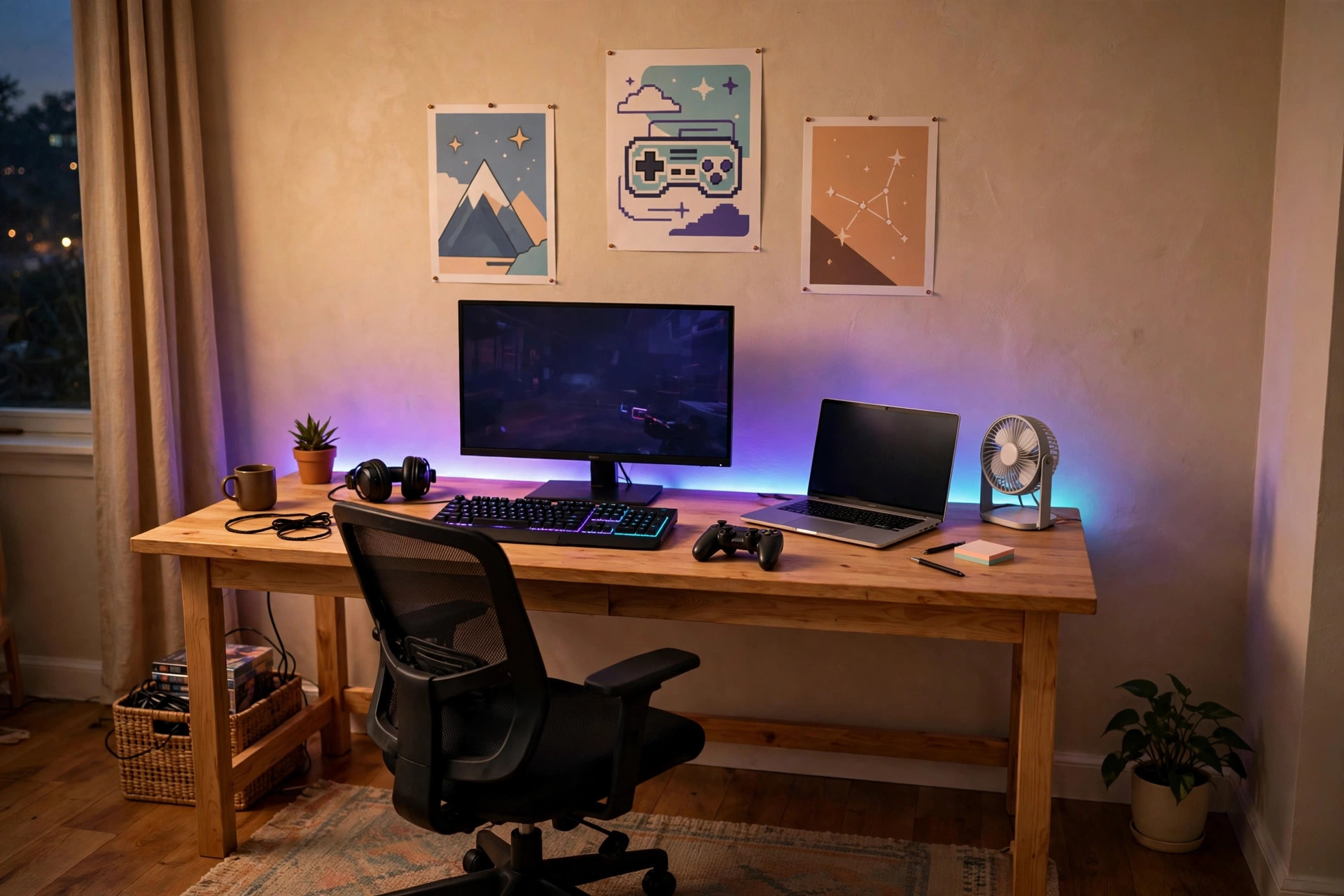
Step 1: The Desk — Buy Stability, Not Style
Your desk is the foundation of everything. A wobbly desk ruins typing, aim, and your mood. You do not need a "gaming desk" with carbon-fibre texture and a cup holder — you need a flat, deep, rock-solid surface.
What to Look For
Aim for a desk at least 110cm wide and 55–60cm deep. That is enough for a monitor, keyboard, and mouse with proper arm space. Steel-frame desks with a simple wooden top are the best value in Pakistan — check furniture markets and online listings before looking at imported gaming brands, which charge double for the same steel legs. A plain solid-wood or MDF top from a local carpenter, mounted on simple metal legs, often costs less and lasts longer than a flashy branded desk.
Desk Height Matters More Than You Think
Your elbows should rest at roughly 90 degrees when your hands are on the keyboard, with your eyes level with the top third of your monitor. If your desk is too high and your chair cannot compensate, your shoulders will ache within a week. Measure yourself before you buy — bring a tape measure to the market, and sit in the chair you will use. This single check saves more long-term pain than any RGB accessory ever will.
Step 2: The Chair — Your Most Important Purchase
If you only upgrade one thing, make it the chair. Back pain ends more gaming sessions than bad internet. You will sit here for thousands of hours, and a bad chair quietly taxes your body every minute.
Skip the Racing Chair (For Now)
Budget "gaming chairs" under a certain price are often just office chairs in a racing costume — stiff foam, weak hydraulics, armrests that wobble. A good mid-range office chair with a mesh back, adjustable height, and lumbar support is genuinely more comfortable than a cheap gaming chair and often costs the same or less. Mesh backs are especially valuable in Pakistani summers because they do not trap heat against your back.
The Sit Test
Whenever possible, buy in person and sit for at least five minutes. Check: does the lumbar area of the backrest press gently into your lower back? Do your feet rest flat on the floor? Does the seat edge press into the back of your thighs (bad — cuts circulation)? A chair that feels perfect for thirty seconds but pinches after five minutes will be torture by hour three. This is one item where a physical market visit beats online shopping.
Step 3: Lighting — The Cheapest Premium Look
Here is the secret of every impressive setup photo: it is 70% lighting. A PKR 30,000 setup photographed in flat white tube-light looks ordinary; the same setup under warm ambient glow and a colored LED strip looks like a battlestation.
LED Strips: Maximum Impact, Minimum Money
A 5-metre RGB LED strip behind your desk or along a shelf costs very little and transforms the room after dark. Mount it behind the monitor or desk edge so the light washes the wall — indirect light always looks better than a bare strip staring at you. Many affordable strips now come with app control; you do not need expensive branded lighting to get a great effect. One caution: extremely cheap strips sometimes have weak adhesive, so clean the surface with a cloth before sticking and consider a few cable clips for reinforcement.
Layer Your Light
You do not want a dark cave — eye strain is real. Keep a soft warm lamp or ceiling light for general illumination, and use the LED strip as accent light. Avoid placing a bright light source directly behind your monitor (it creates glare and contrast your eyes will fight all evening) and avoid total darkness around a bright screen. The goal is a comfortable balance: lit room, glowing accents, no harsh reflections on the screen.
Step 4: Power Protection — Non-Negotiable in Pakistan
This section is the least glamorous and the most important. Load-shedding, voltage fluctuations, and sudden surges are a fact of life across Pakistan, and they are genuinely dangerous to electronics.
Get a UPS
A small UPS (uninterruptible power supply) sized for your PC or console plus monitor gives you 10–20 minutes of runtime when the power cuts — enough to save your game and shut down properly instead of suffering a hard crash that can corrupt saves or, in rare cases, damage storage. If you cannot afford a UPS yet, at minimum use a quality surge protector or stabilizer between the wall socket and your gear. Never plug an expensive PC directly into a bare wall socket in an area with unstable power.
Wire It Safely
Run one good extension board from the wall to your desk area rather than a chain of cheap ones. Keep the UPS on the floor beside the desk (they are heavy), and make sure it has ventilation — batteries hate heat. If your room runs on a shared breaker that trips easily, know which sockets are on which circuit before you add a high-wattage PC to the mix.
Step 5: Beat the Heat
Pakistani summers are the silent enemy of both you and your hardware. A PC in a 40°C room throttles, fans scream, and you sweat through long sessions. You do not need air conditioning to fix most of this.
Airflow for You and the PC
Position your PC with at least 10–15cm of clearance on all sides — never shoved into a closed cabinet or pushed flat against a wall. A simple pedestal fan or a clip fan pointed across your desk area makes a huge difference to your comfort during long sessions. Keep the room's door or a window cracked when possible so hot air actually leaves instead of circulating. Dust is the other summer problem: clean your PC's intake filters and fans every month or two in dusty cities, because dust acts like a blanket that traps heat.
Monitor Your Temperatures
Install a free temperature monitor and learn what your hardware normally runs at. If your CPU or GPU starts throttling under load, the fix is usually airflow and dust, not new parts — exactly the kind of thing our guide on fixing FPS drops and stuttering covers in detail.
Step 6: Your Internet Setup
A gaming room is only as good as its connection. Most lag problems in Pakistan are not the ISP's fault — they are the router sitting in the wrong room, or ten family members streaming on the same Wi-Fi.
Use a Cable If You Can
A wired Ethernet connection is the single biggest latency upgrade available, and a long cable costs almost nothing. Run it along the wall with clips from the router to your desk. If running a cable is genuinely impossible, place your router as close to your gaming spot as you can and switch to the 5GHz band, which is faster and less congested than 2.4GHz in apartment buildings. Our full walkthrough on reducing ping and fixing lag covers the rest.
Router Placement Basics
Routers hate corners, floors, and metal cabinets. Put yours elevated, roughly central, and away from microwaves and thick concrete walls. If the router lives in the drawing room and you game in the back bedroom, no amount of settings tweaking beats moving the router or running that cable.
Step 7: Cable Management — The Free Upgrade
Nothing makes a setup look cheap faster than a bird's nest of cables. And nothing is cheaper to fix: a pack of velcro ties and a few adhesive clips costs next to nothing and takes an hour.
The One-Hour Method
Unplug everything. Group cables by where they go (power, monitor, peripherals). Bundle each group with velcro ties — never zip ties, because you will re-do this — and route the bundles along the back edge of the desk with adhesive clips. Mount the power strip under the desk so only one cable drops to the floor. The result looks dramatically cleaner, and cleaning around your desk becomes ten times easier. Do this before you take any setup photos.
Step 8: Sound Without Speakers
In a shared house or hostel, speakers are a luxury your family will veto. Good headphones are the budget gamer's answer: better positional audio than cheap speakers anyway, zero noise complaints, and one less thing cluttering the desk. If you are shopping, our gaming headset buying guide walks through what actually matters. Hang them on a cheap headphone stand or a wall hook instead of leaving them on the desk — it looks tidier and saves the earpads.
Where to Buy in Pakistan (Without Overpaying)
Local electronics markets are still the best deal for desks, chairs, UPS units, and cables — in Lahore, Hall Road and Hafeez Centre; in Karachi, Saddar's tech markets; in Islamabad/Rawalpindi, the Blue Area and Saddar computer markets. Prices are negotiable in person, which no website offers. For LED strips, cable management bits, and small accessories, online marketplaces like Daraz often beat physical shops, especially during sale events — just check seller ratings carefully.
Two buying rules: first, compare the same item across at least three sellers before committing — gaming gear pricing in Pakistan varies wildly. Second, beware of "gaming" branding on cheap accessories; a plain office chair and a plain desk at the same price are almost always better built than their gaming-styled equivalents. Pay for construction quality, not for the word "gaming" printed on the box.
Realistic Budget Breakdown
Excluding the PC or console itself (covered in our budget gaming PC build guide), here is what a complete room setup costs when you buy smart:
| Item | Budget tier | Comfort tier |
|---|---|---|
| Desk (steel frame, wooden top) | Basic local desk | Wider desk with cable tray |
| Chair | Decent office chair | Mesh-back ergonomic chair |
| Lighting | One RGB LED strip | Strip + warm desk lamp |
| Power | Surge protector | UPS + surge protector |
| Cooling | Pedestal/table fan | Fan + improved room airflow |
| Cable management | Velcro ties + clips | Under-desk tray + ties |
| Audio | Headphones you own | Budget gaming headset |
The budget tier gets you a genuinely comfortable, great-looking space. The comfort tier refines it. Notice what is not on the list: expensive branded furniture, RGB everything, and decorative gear that does nothing. Spend on the chair and power protection first, looks second.
Small or Shared Room? No Problem
Most Pakistani gamers do not have a spare room to convert — they have a corner of a bedroom, a hostel bunk area, or a shared family space. That is fine. A compact 100cm desk fits in a corner; a folding chair or a good cushion works if a full chair does not. Headphones replace speakers, LED strips replace elaborate lighting, and a tidy cable setup makes even a tiny corner look intentional. Streamers started in bedrooms smaller than yours. The room does not make the gamer — the comfort and the connection do.
Frequently Asked Questions
How much does it cost to set up a gaming room in Pakistan?
Excluding the PC or console itself, a comfortable gaming room setup can be built for roughly PKR 30,000–60,000 if you buy smart: a sturdy desk, a decent office chair, LED lighting, a small UPS for power backup, and basic cable management. Spending beyond that mostly buys aesthetics, not comfort or performance.
Do I need a UPS for my gaming setup in Pakistan?
Yes — it is one of the smartest purchases you can make. Load-shedding and voltage fluctuations can damage hardware and corrupt game saves. A small UPS gives you 10–20 minutes to save and shut down safely, and a good surge protector guards against spikes.
What is the most important thing in a gaming room?
Comfort, by a wide margin. You will spend hundreds of hours in your chair at your desk, so a supportive chair and a desk at the right height matter far more than RGB lighting or posters. Buy comfort first, aesthetics second.
Can I set up a good gaming space in a small or shared room?
Absolutely. A compact corner desk, a folding setup, headphones instead of speakers, and a few LED strips can transform a tiny corner. Good lighting and cable management make small spaces feel intentional and clean rather than cramped.